See which app is heating your Mac, right now
A menu-bar-only macOS app that shows live thermal pressure on fanless M-series Macs and names the processes generating the heat. Purely observational — it reads, it never controls fans.
Key Features
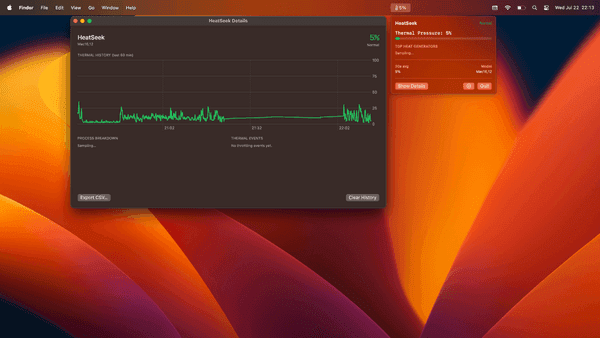
A live 0–100% pressure reading that shifts green to yellow to red as the machine heats up.
The Details window charts the last hour of thermal pressure alongside a process breakdown.
Notifications fire when pressure crosses your threshold, with a five-minute cooldown so a hot spell alerts once.
Throttling starts, ends, and durations are logged, and the whole history exports to CSV.
Why We Built This
A fanless M-series Mac throttles silently
On an M-series MacBook Air there's no fan to spin up as a warning — the machine just gets slower. Activity Monitor's Energy Impact is too coarse to diagnose that lives in menus is a full system-monitoring suite when all you want is thermal visibility. Heatseek lives in the menu bar, updates every two seconds, and otherwise stays out of your way.
No fan control, no SMC pokes, no dangerous operations — it only observes, using public process info with no network requests.
Per-process CPU sampling via libproc ranks what's heating the machine, so you know whether it's the simulator or the browser.
One 2-second tick, no third-party dependencies, no Dock icon or window — a menu bar agent you forget is there until it turns red.